
ಹಿನ್ನೆಲೆ & ಲೇಖಕ ಕ್ರೆಡಿಟ್
ಇಂಟರ್ಫೇಸ್ನಲ್ಲಿ ಎಲ್ಲಿ: ಸೆಟ್ಟಿಂಗ್ಗಳು → ರೂಪ / ಹಿನ್ನೆಲೆ; #bgCredit at the bottom of the NTP.
वॉलपेಮೇಲೆ ಬದಲಿಸಿ ಮತ್ತು ಲೇಖಕ की जानकारी ತೆರೆಯಿರಿ
ಇಂಟರ್ಫೇಸ್ ಅಂಶಗಳು
बिल्ड ರಲ್ಲಿ preset, CDN catalog newtab.webdoka.com/background
ನಿಮ್ಮ फ़ाइल (IndexedDB)
ಕ್ರೆಡಿಟ್: ಲೇಖಕ ಹೆಸರು, ಮೆನು (ಲೇಖಕ ಪುಟ, ಹಿನ್ನೆಲೆ सुझाएँ, ಹಿನ್ನೆಲೆ ಬದಲಿಸಿ)
ಹಿನ್ನೆಲೆ ಮೇಲೆ UI text color (uiTextColor)
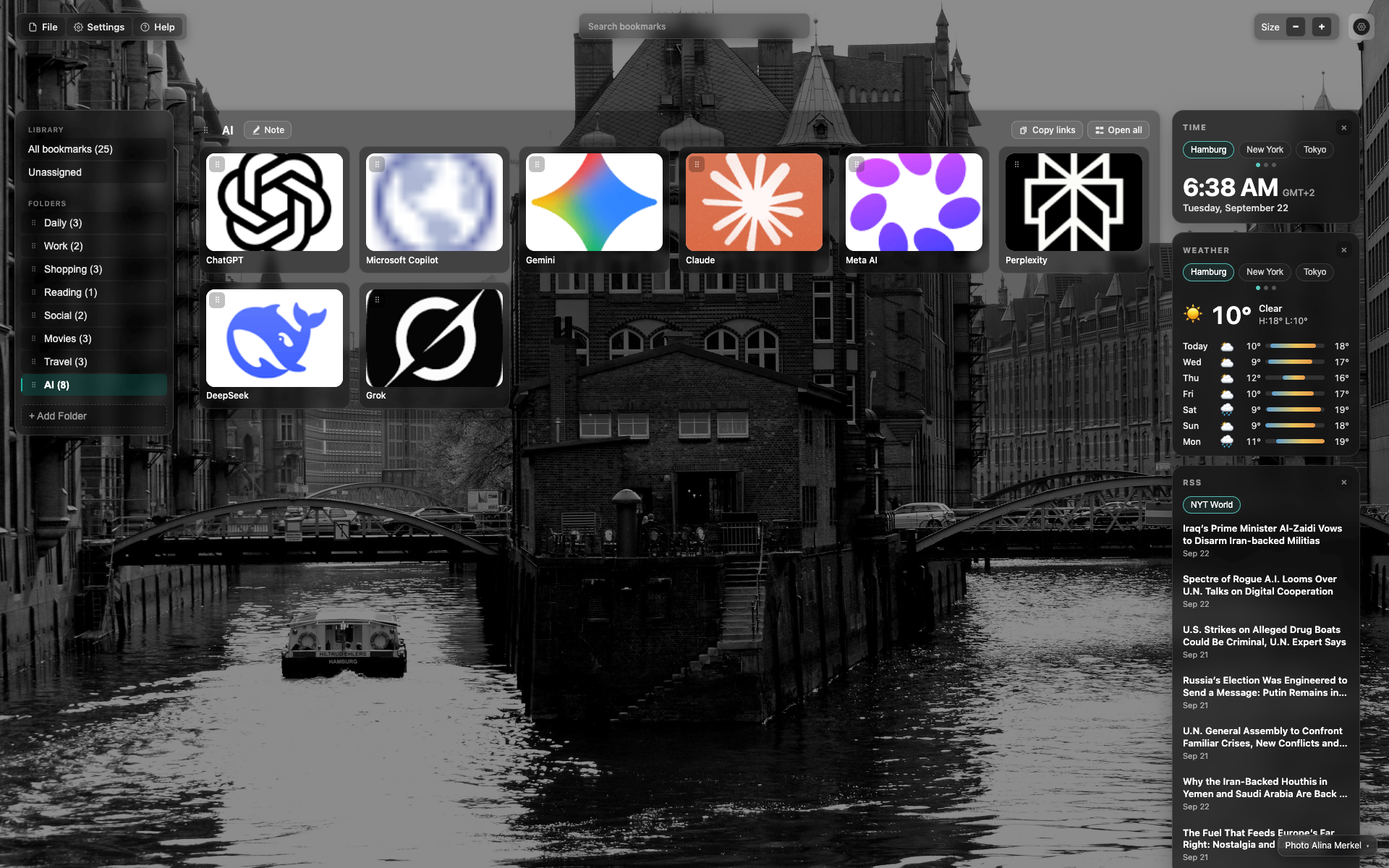
Credit at the bottom of the NTP
Small credit text in the bottom/right corner over the background.
A click opens the author / change-background menu.
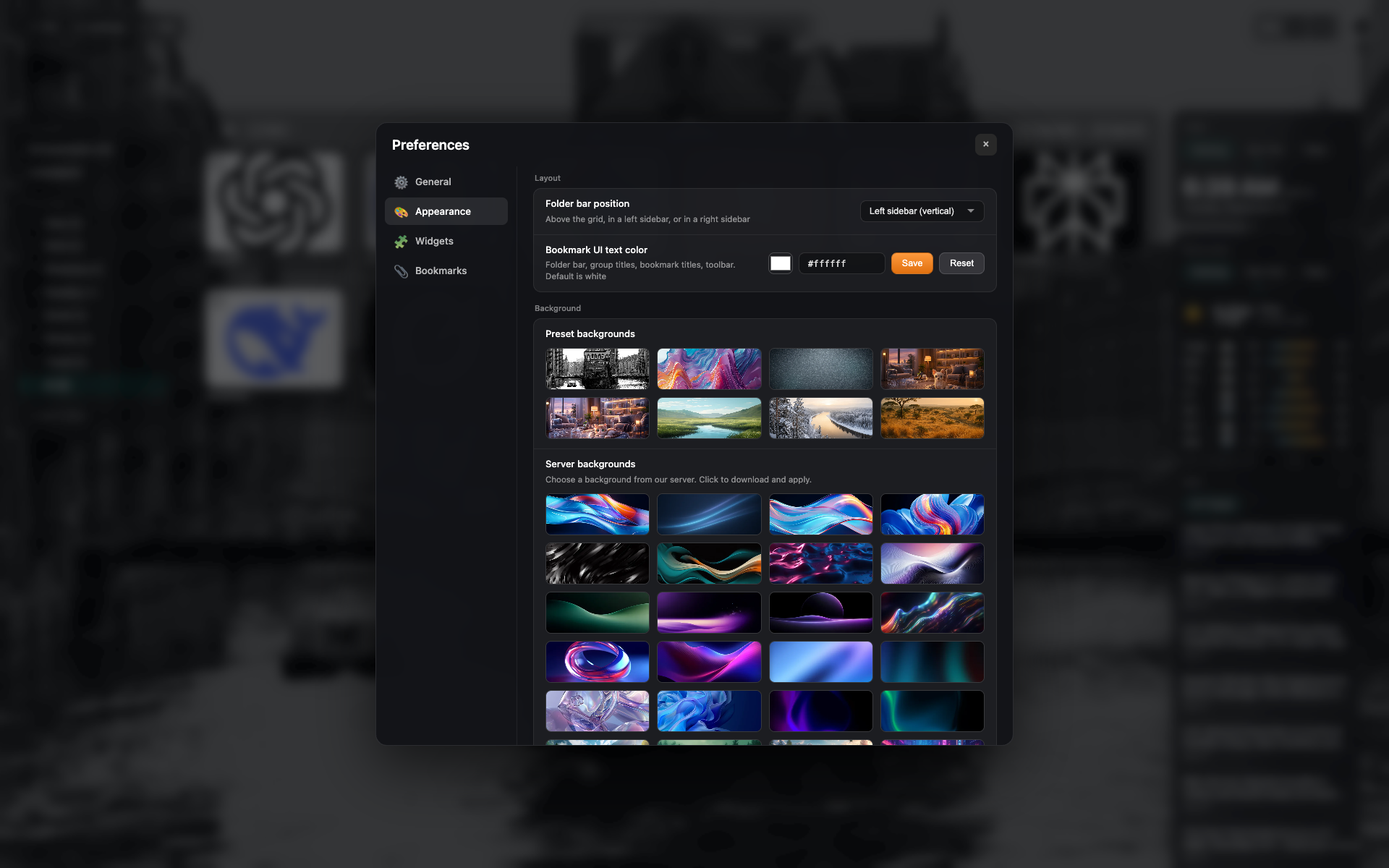
Presets in Appearance
The "Appearance" tab: a grid of background presets and your own upload.
ಸಂಬಂಧಿತ ವಿಷಯಗಳು
ಉತ್ತರ ಸಿಗಲಿಲ್ಲವೇ?
ಏನು ಕೊರತೆಯಿದೆ ಎಂದು ಹೇಳಿ - ನಾವು ವಿಸ್ತರಣೆಯನ್ನು ನಿಜವಾದ ವಿನಂತಿಗಳ ಆಸುಪಾಸು ನಿರ್ಮಿಸುತ್ತೇವೆ.