
नवीन टॅब मांडणी (NTP)
इंटरफेसमध्ये कुठे: chrome_url_overrides.newtab → newtab.html
पृष्ठभूमि, मेनू, खोज, फ़ोल्डर, ग्रिड और widgets एक नज़र में
इंटरफेस घटक
ऊपर: bookmark search bar (#bookmarkSearchBar)
ऊपर बाएँ: File / Settings / Help (#appMenuBar)
फ़ोल्डर पैनल: बाए / दाए / ऊपर (Appearance)
मुख्य क्षेत्र: कार्ड ग्रिड या grouped view
दाएँ widgets column (time / weather / RSS), यदि सक्षम
नीचे: पृष्ठभूमि लेखक क्रेडिट (#bgCredit)
कार्ड आकार नियंत्रण (Size -/+)
मुख्य प्रवाह
1
नया टैब खोलें
2
साइडबार में फ़ोल्डर चुनें, या All / Unassigned
3
कार्ड क्लिक URL खोलता है (same tab या नया - General में सेट)
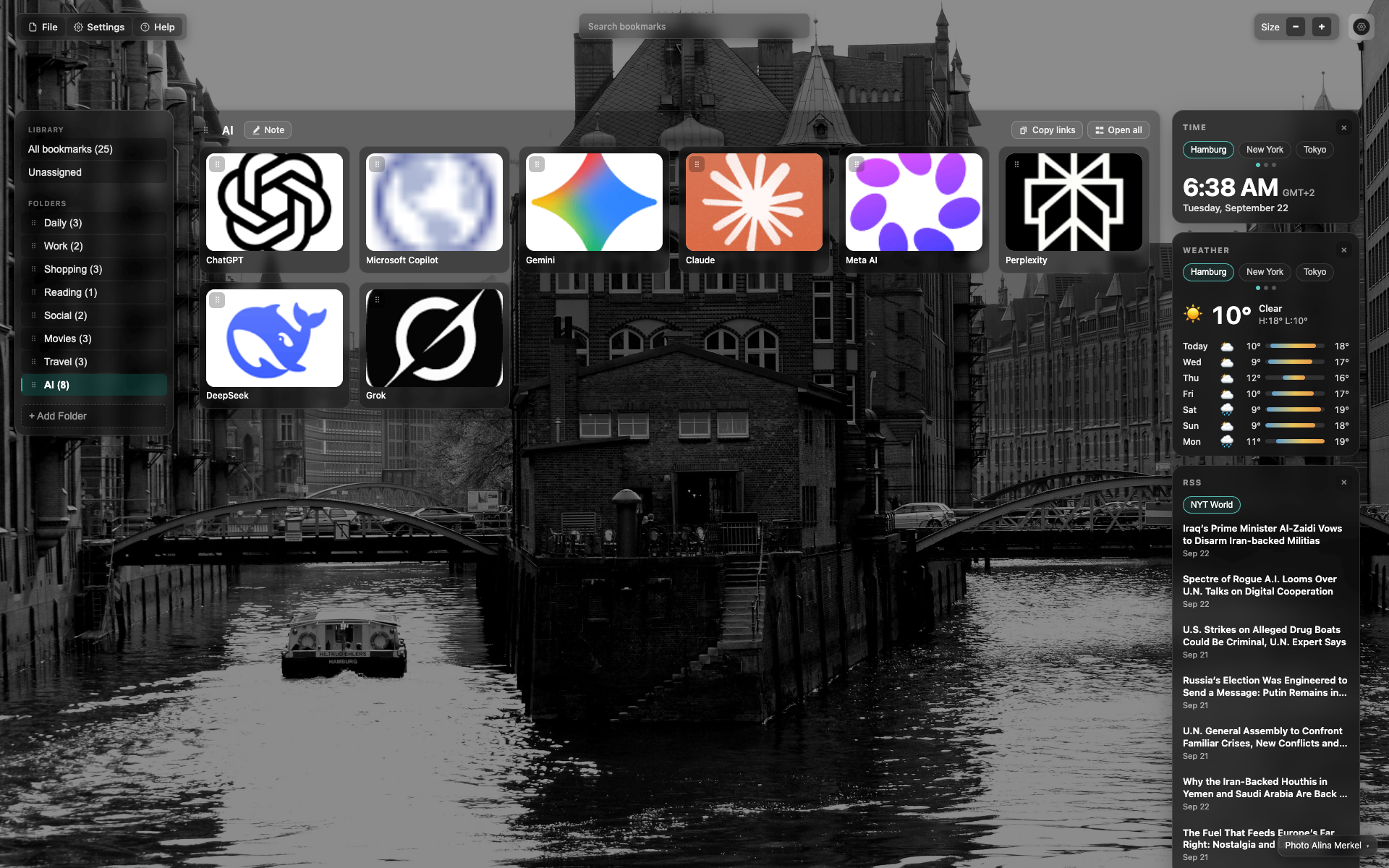
Full NTP frame
Four zones: top bar, left folder sidebar, central grid, right widgets.
Full-screen background; the UI is translucent.
This frame shows the same scene as the overview (the AI folder).
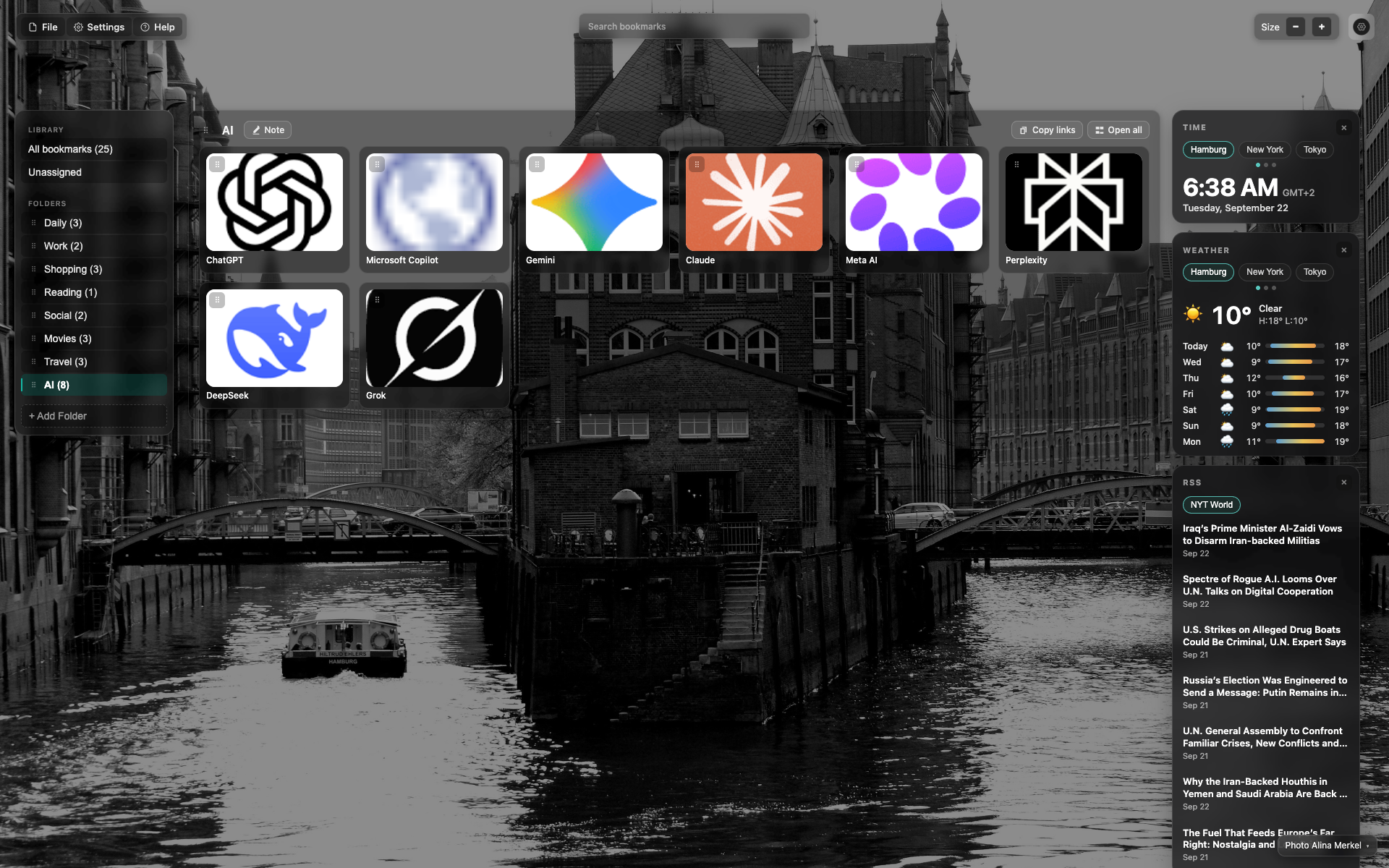
Top bar (same frame - anchor for a crop)
Use the top third: menu + search + Size.
Search is a wide translucent pill in the center.
उत्तर सापडले नाही?
काय कमी आहे सांगा - आम्ही एक्सटेंशन वास्तविक विनंत्यांभोवती बांधतो.