Welcome to New Tab by Webdoka

Thanks for installing the extension! New Tab by Webdoka lets you capture parts of web pages and turns your new tab into a simple dashboard with visual bookmarks.
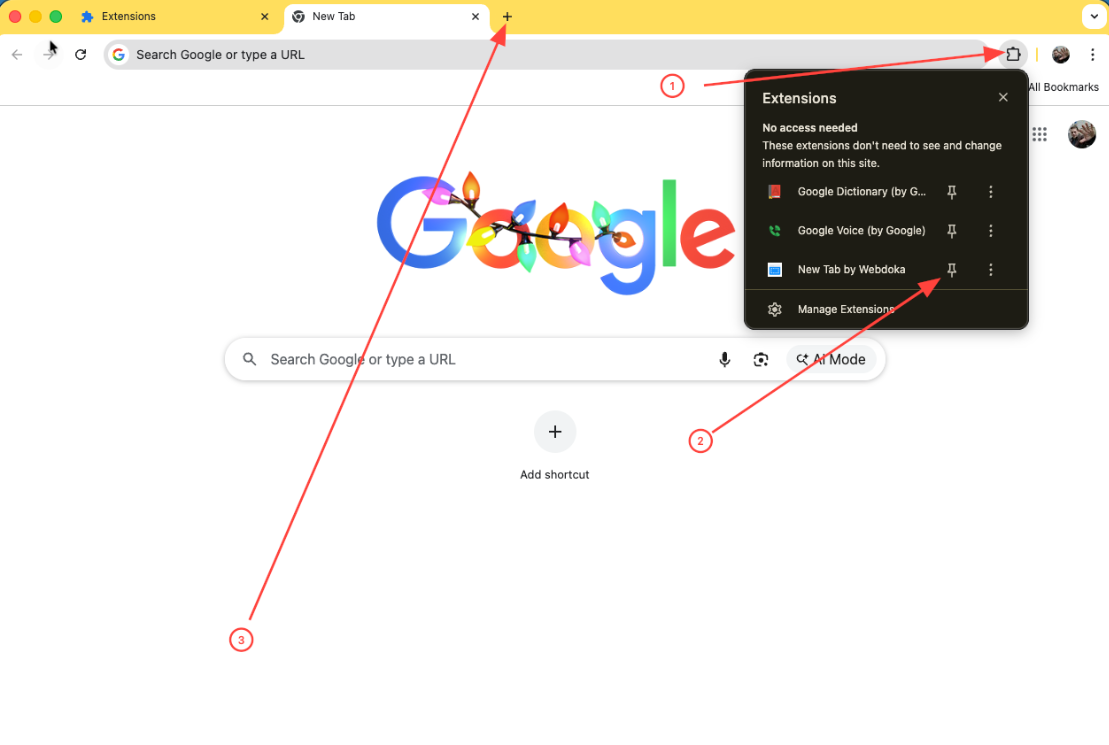
To activate the extension, follow these three steps:
  1. Click the Extensions button (puzzle icon) in the top-right corner of Chrome.
  2. Pin our extension by clicking the 📌 icon next to “New Tab by Webdoka”.
  3. Open a new tab — you’ll see your new start page right away.
How to pin the extension and open a new tab

Keep Webdoka as your new tab

The first time you open a new tab, Chrome may ask if you want to restore the default Google page. To keep using Webdoka New Tab, click the “Keep it” button.
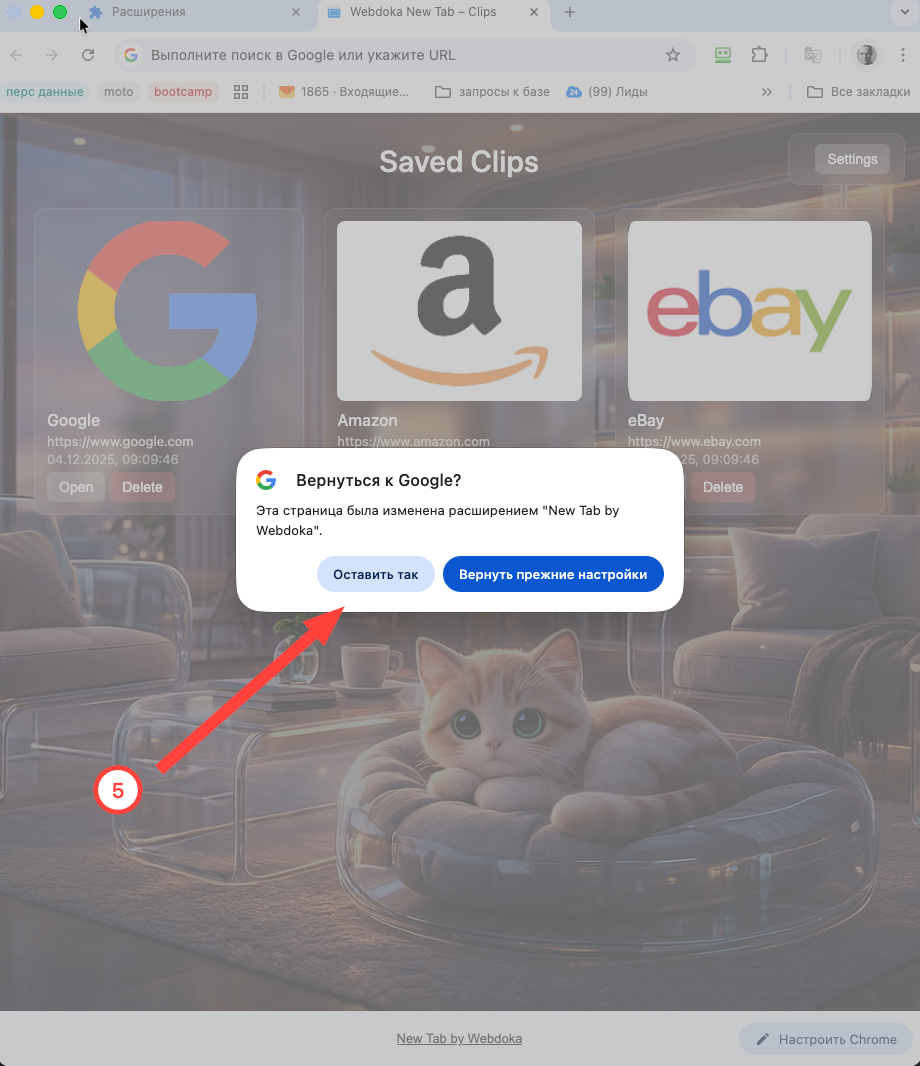
Click “Keep it” to keep New Tab by Webdoka